
5 min read - updated November 2026
Letterhead and envelope set checklist
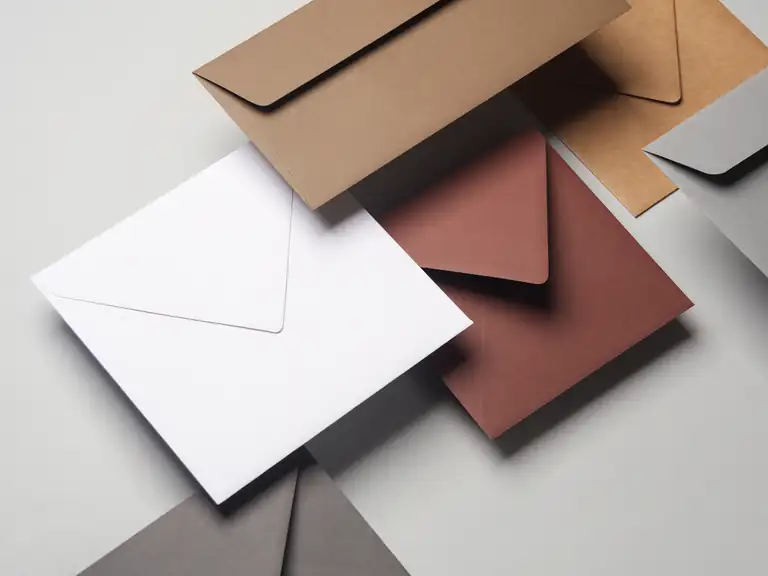
A letterhead and envelope set needs your logo, contact details, a paper choice and a layout that works on both the sheet and the envelope. Carmichael Printing prints stationery sets so the letterhead, envelopes and business cards match.
- Serving Carmichael since 1965
- Most quotes within one business day
- Mon-Fri 9:00-4:30, one block off Fair Oaks Blvd
Key points
- Gather logo files, address, phone, email and website first
- Choose one paper tone and ink color for the whole set
- Leave the writing area clear on the sheet
- Check the return address against the envelope size
- Proof the set together, not piece by piece
Letterhead is the heading at the top of a sheet of letter paper, usually a name, contact details and a logo. Ordered together with envelopes, it becomes a matched set. Use this checklist to gather what you need before you ask for a quote, and to make sure the set works in the printer and the mailbox.
Step 1: Collect your information
Letterhead holds the same few items on every sheet. Write them down exactly as they should appear, then check them twice.
Typos in a phone number or a ZIP code are easy to miss, because the eye reads what it expects.
- Legal or trade name, spelled the way it appears on contracts
- Street address and mailing address, if different
- Main phone number, email and website
- Logo as a vector PDF or a high-resolution image
- Any short tagline, if you use one
Step 2: Pick paper and ink for the whole set
Ask us about paper choices, since paper is much easier to judge in hand than by name; we can show you samples of previous work. A letter that will be printed on an office laser printer should be a paper that handles that well, so tell us if staff will run the sheets through a desktop machine.
Use the same paper tone and the same ink for the letterhead, the envelope and the card so they look like one family. Ask us to match a color you already use.
Step 3: Lay out the sheet
The standard sheet is 8.5 by 11 inches. Keep the heading compact so the body of a letter has the room. Many offices set the heading at the top and put the address in a small line at the foot instead.
If any color runs to the edge, add 1/8 inch of bleed. Keep text at least 1/8 inch inside the trim. See trim, safe area and margins.
Step 4: Check the envelope and the address
The USPS asks that the delivery address be easy to read, in type at least 8 points with letters at least 0.080 inch tall. It also describes a recommended address area on a letter: starting 1/2 inch from each side and sitting between 5/8 inch and 2 3/4 inches from the bottom edge.
Put your return address in the upper left corner. If you use window envelopes, test that the address on the letter lands inside the window. See standard envelope sizes.
Step 5: Approve one proof of the set
You will get a proof of the final type and artwork with a cover sheet. Read the sheet, the envelope and the card side by side, then sign the approval. Printing begins on the signed approval. See proofs and approvals.
Small details that make a set look finished
Match the logo placement across the pieces. If the logo sits upper left on the letterhead, put it upper left on the envelope and in a similar position on the card. People notice consistency without being able to say why.
Think about what happens after printing. Letterhead that goes through an office printer needs room at the margins, and sets that will be handwritten on, such as note sheets, need paper that takes a pen. If you also plan to emboss or raise the logo, ask about thermography on the sheet and the card.
- Keep one contact line shorter than the page width so it does not wrap
- Leave a blank first line below the heading for the date
- Use a single typeface family across the whole set
Sources (2)
- Wikipedia: en.wikipedia.org/wiki/Letterhead (checked November 2026)
- USPS Postal Explorer (DMM): pe.usps.com/text/dmm300/202.htm (checked November 2026)
Can you match my existing letterhead?
Yes. Bring a sheet you have now, and we can reproduce and edit it, even without the original digital file.
Do you design logos for stationery?
Yes, our in-house designer can create a logo or tidy an old one. See the logo design page.
Do I have to order envelopes with letterhead?
No. They can be ordered together or one at a time, and we will match the paper and ink to what you have.
Start a job
Tell us about your print job.
Send what you know: the piece, the quantity, your file if you have one. Just tell Tony what you need.
(916) 487-8679Monday to Friday, 9:00 am to 4:30 pm. Or stop by 5757 Robertson Ave, Ste B, one block off Fair Oaks Blvd.
- Serving Carmichael since 1965
- Most quotes within one business day
- Mon-Fri 9:00-4:30, one block off Fair Oaks Blvd