
5 min read - updated November 2026
Numbering and perforating forms
Numbering prints a unique, consecutive number on every form so each one can be tracked, and perforating cuts a line of small holes so part of the sheet tears off cleanly. Carmichael Printing offers both in its bindery, along with printing, padding and collating.
- Serving Carmichael since 1965
- Most quotes within one business day
- Mon-Fri 9:00-4:30, one block off Fair Oaks Blvd
Key points
- Numbers run in sequence, so choose the starting number and digit count
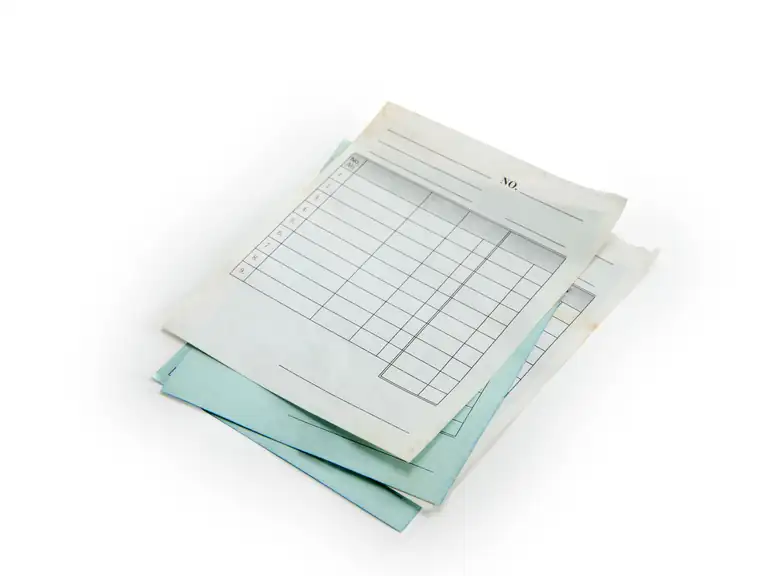
- Leave a clear, empty box where the number will print
- Perforations create a tear line for stubs, coupons and tickets
- Keep type and artwork away from a tear line
- Numbering can be added to forms in a set or pad
Receipts, raffle tickets, work orders and registration forms all share a problem: you need to tell one from the next, and sometimes you need to hand someone a stub. Both jobs are decided at the design stage, so it pays to think them through before the file goes to the press.
What does numbering a form mean?
Each form gets its own number, running in order from the starting number you choose. The idea is the same as the old Bates stamp used on legal pages, where every page gets a unique reference number so it can be found again. The first Bates machines used four-digit numbers, so page 852 read 0852.
On a form, the number lets you match a customer's copy with your own, find a missing ticket or prove which receipt came first.
Decisions to make before you order
Tell us these four things and the job is easy to set up:
- Starting number, such as 1 or 1001, and how many digits to allow, so you do not run out partway through the book
- Where the number sits, usually a top corner or a bottom edge, in a box left empty on your layout
- Ink color for the number, which is often red or black so it stands out
- Whether each part of a carbonless set carries the same number
See numbering for the service and carbonless forms for sets.
What does perforating do?
A perforation is a line of small holes or slits that lets paper tear along a set line. It is the same feature you find in notebook pages and checkbooks, where it separates two sections of the sheet.
On printed jobs it is used to make tear-off stubs on tickets and coupons, reply slips on a mailer and return portions on a form. See perforating for how it is done at the shop.
Designing around a tear line
Keep type, logos and fine borders well clear of the perforation. A tear can wander a little, and text sitting right on the line may be split in half. A generous margin, at least as much as you would leave from a trim edge, is a safe start, and we can confirm the exact distance when we see your layout.
Mark the perforation on your file as a thin guide line on its own layer, or draw it on a sketch. Then we can place the tear line exactly where you intend it.
- Stub on the left or right, so the main form stays flat in a binder
- A short instruction such as "Detach here" beside the line
- Matching numbers on the stub and the main part for tickets and raffles
Putting it together as pads and sets
Numbered forms are often padded in order so the numbers run down the pad. Carbonless sets can carry a number on each part. If you also need a tear-off section, that is added at the bindery after printing.
Tell us the sheet size, the number of parts, the count per pad and the range of numbers. Then we can quote the whole job as one piece of work.
Sources (2)
- Wikipedia: en.wikipedia.org/wiki/Perforation (checked November 2026)
- Wikipedia: en.wikipedia.org/wiki/Bates_numbering (checked November 2026)
Can the same number print on every part of a set?
Yes, matching numbers on each part are common, so the copies can be paired later. Tell us what you want when you ask for a quote.
Can I add a perforation to a form I already print?
Often, yes. Bring a sample and say where the tear should go, and we will look at the paper and the layout.
What happens if I need more forms later?
Give us the last number used on the previous order, and the next run can start from the following number.
Start a job
Tell us about your print job.
Send what you know: the piece, the quantity, your file if you have one. Just tell Tony what you need.
(916) 487-8679Monday to Friday, 9:00 am to 4:30 pm. Or stop by 5757 Robertson Ave, Ste B, one block off Fair Oaks Blvd.
- Serving Carmichael since 1965
- Most quotes within one business day
- Mon-Fri 9:00-4:30, one block off Fair Oaks Blvd