
5 min read - updated November 2026
How to design a carbonless form
Design a carbonless form around the pen: leave fields large enough for handwriting, keep lines dark and simple, and decide the sheet order and copy labels before you lay anything out. Carmichael Printing can review your layout, proof it and print it as a set in Carmichael.
- Serving Carmichael since 1965
- Most quotes within one business day
- Mon-Fri 9:00-4:30, one block off Fair Oaks Blvd
Key points
- Decide the number of parts and who gets each one first
- Size each field for handwriting, not for typed text
- Use dark ink for lines and labels so they stay readable on every part
- Leave a clear margin along any edge that will be padded
- Label every part and number the sets if you track them
A carbonless form is used by hand, on a counter or a clipboard, often in a hurry. The best ones are easy to read at a glance and leave enough room for real handwriting on every line. Here is how to plan one so the bottom copy is as readable as the top.
Step 1: Decide the parts and the order
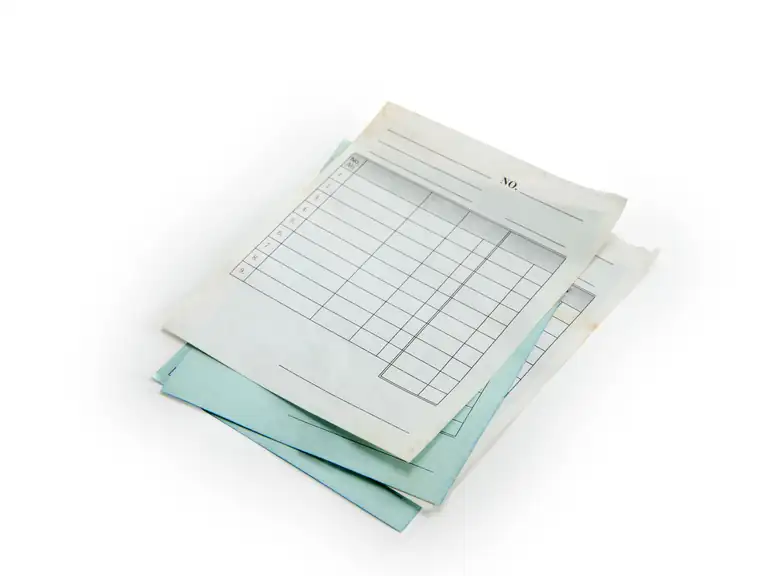
Start with the question of who needs a copy. Each person or department is one part, and every part is one sheet in the set. The top sheet is the CB sheet, the bottom is the CF sheet and any copies between them are CFB sheets, as explained in what is carbonless paper.
Put the copy that must be the most legible nearest the top. The farther down the stack, the lighter the transfer can be, so a customer's copy or a legal record should not sit at the very bottom of a long set.
Step 2: Size the fields for a pen
Most people write bigger than they type. A field for a name, a street address or a description needs more room than the same words would take in a font. Use a form you already have as a test: fill it in by hand and see where the writing runs out of space.
A few habits make forms easier to fill in:
- Leave a clear line for each entry with space above it for the pen
- Put checkboxes where a short answer will do
- Keep a signature line wide enough for a full signature
- Group related fields under a short heading
Step 3: Keep the artwork simple and dark
Fine hairlines and pale tints can disappear as the image travels down through the sheets. Use solid, medium-weight rules and dark type for anything that has to survive on the bottom copy. A single dark ink usually reproduces most reliably on a form that is filled in by hand.
Use the same file standards you would for any print job: a PDF, fonts embedded or outlined, and 1/8 inch of bleed if anything runs to the edge. See the print-ready file checklist.
Step 4: Plan the edge, the labels and the numbers
If the sets will be glued into pads, one edge becomes the binding edge. Keep writing space and small type away from that edge and tell us where it is. See padding for how pads are made.
Add a small line at the bottom or side of each part naming it, such as "Customer copy" or "Office copy." If you need to track sets, ask about numbering and perforating.
Step 5: Proof it by filling it in
When you get the proof, print it on plain paper at actual size and fill it out the way a customer would. Ask a second person who does not know the form to try it. Anything that makes them stop and ask a question is worth fixing before the set is printed.
Proofreading is the customer's job, so read the phone numbers, the company name and the legal text slowly. We correct our own copy errors at no charge; customer revisions and edits are charged.
Sources (2)
- Wikipedia: en.wikipedia.org/wiki/Carbonless_copy_paper (checked November 2026)
- Nekoosa: brands.nekoosa.com/ncr-paper (checked November 2026)
Can you update my existing carbonless form?
Yes. Send a copy of the form you use now. We can reproduce and edit it, even without the original digital file.
Do you design forms?
Yes. Our in-house graphic designer can lay out a new form or rework an old one, and you approve a proof before printing.
What file should I send?
A PDF is best. If you only have a Word or Excel file, send it with a printed sample and we will check it.
Start a job
Tell us about your print job.
Send what you know: the piece, the quantity, your file if you have one. Just tell Tony what you need.
(916) 487-8679Monday to Friday, 9:00 am to 4:30 pm. Or stop by 5757 Robertson Ave, Ste B, one block off Fair Oaks Blvd.
- Serving Carmichael since 1965
- Most quotes within one business day
- Mon-Fri 9:00-4:30, one block off Fair Oaks Blvd